
Step-by-step process for office shifting without business disruption
In large corporates, hundreds of employees, IT systems, compliance requirements, vendors, and stakeholders are involved. One unplanned delay can impact clients, SLAs, or regulatory obligations. This checklist goes beyond basic packing tips and focuses on how large organizations office relocation works while keeping operations stable.
1. Business-Critical Mapping (Before Any Boxes Are Packed)
Before confirming movers or dates, corporates must identify what cannot stop.
- Map departments based on revenue, compliance, and client dependency
- Identify systems that require 24/7 uptime
- Decide which teams move first and which move last
- Define acceptable downtime limits for each function
2. Relocation Governance and Accountability
Large office shifting fails when responsibility is “shared” instead of owned.
- Assign a central relocation lead with decision-making authority
- Create a cross-functional relocation task force (Admin, IT, HR, Security)
- Establish escalation and approval workflows
- Freeze non-essential changes during relocation window

3. Risk-Based Office Shifting Plan (Not a Generic One)
Every corporate office has different risk exposure.
- Identify high-risk assets (servers, confidential files, executive cabins)
- Define separate handling and movement plans
- Set access controls during packing and transport
- Align insurance coverage to asset value, not estimates
This approach reduces financial, operational, and data risks.
4. IT Relocation as a Parallel Project
Treating IT shifting as a subtask is a common corporate mistake.
- Run IT relocation as an independent project with its own timeline
- Pre-configure network and server environments at the new location
- Perform mock testing before actual system cutover
- Keep rollback plans ready in case of failure
5. Smart Packing Strategy for office relocation
Speed after relocation depends on how intelligently assets are packed.
- Pack by function, not by floor
- Use sequence-based labelling for workstations
- Pre-assign seating and system IDs
- Maintain digital asset movement records
Result: Teams can resume work without hunting for equipment.

6. Employee Impact Management
Office relocation affects productivity more than companies expect.
- Communicate relocation phases well in advance
- Share what employees should pack, secure, or hand over
- Avoid relocation during peak business cycles
- Provide dedicated on-site support during initial days
Well-informed employees mean fewer disruptions.
7. Controlled Execution on Shifting Day
For large corporates, the moving day must feel boringly smooth.
- Restricted access to sensitive zones
- Real-time coordination between IT and movers
- Safety compliance for manpower and assets
- Continuous monitoring of time-critical movements
No improvisation. Only execution.
8. Post-Move Stabilization (The Most Ignored Phase)
Relocation doesn’t end on day one.
- Run system health checks across departments
- Validate asset placement against inventory records
- Close gaps and punch points within 48–72 hours
- Conduct a formal relocation sign-off
This phase ensures long-term operational stability.
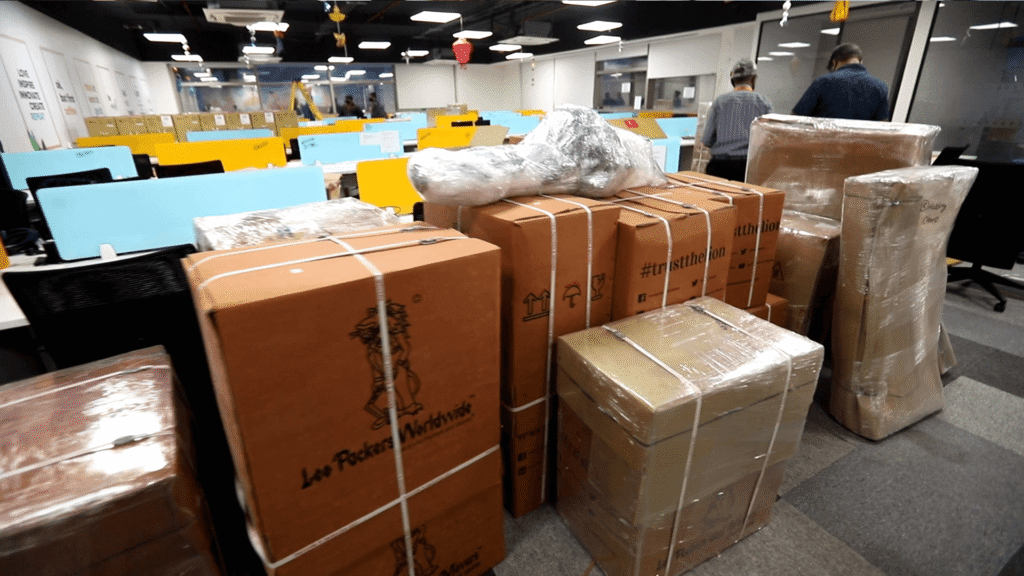
Why Professional Office Shifting Matters for Large Corporates
Corporate office relocation requires:
- Process discipline
- Trained manpower
- IT handling expertise
- Zero-compromise safety standards
Professional office shifting partners understand these expectations and execute relocation as a business-critical operation, not just transportation.
For large corporates, a successful office relocation is one employees barely notice.
No chaos. No downtime.